Showing posts with label iPhone. Show all posts

Tuesday, September 11, 2012

Never Forget 9/11

Today is Tuesday, September 11, 2012. Eleven years ago, America experienced one of the most horrific attacks remembered.

The month was September. The date was the eleventh. The year was 2001. The day was a Tuesday. 

Snippet from Wikipedia: On that Tuesday morning, 19 terrorists from the Islamist militant group al-Qaeda hijacked four passenger jets. The hijackers intentionally piloted two of those planes, American Airlines Flight 11 and United Airlines Flight 175, into the North and South towers of the World Trade Center complex in New York City; both towers collapsed within two hours. The hijackers also intentionally crashed American Airlines Flight 77 into the Pentagon in Arlington, Virginia, and intended to pilot the fourth hijacked jet, United Airlines Flight 93, into the United States Capitol Building[2] in Washington, D.C.; however, the plane crashed into a field near Shanksville, Pennsylvania after its passengers attempted to take control of the jet from the hijackers. Nearly 3,000 people died in the attacks, including the 246 civilians and 19 hijackers aboard the four planes.

The official 9/11 Memorial app has been created thanks to the National September 11 Memorial & Museum. The app is a guide to understanding 9/11 and is based on those who witnessed the events. Due to the nature of the material from in this app, viewer discretion  is strongly advised.

Get the FREE app now, click this.


Thursday, April 5, 2012

Another Great Giveaway...

from Ron over at Smart Apps for Kids. Through this giveaway, you could be one of ten winners to receive the:

SatDef  (protect the Earth using multiplication!) App

Hurry up and Click This so you can read all about the giveaway and enter to win...and tell him I sent ya!


Thursday, March 22, 2012

Take a Walk Back in Time...

with an app. Video Time Machine isn't free but I think it's well worth the 3 bucks. Most reviews were 4 to 5 stars. A couple of people gave it one because it's just YouTube videos but what makes it unique is it's all organized, no searching on your part. It has been done for you.

I learned about it via SmartAppsforKids. If you can shell out a couple of bucks, I promise you won't be disappointed. Read a review on Video Time Machine by Smart Apps for Kids here and while you're at it, go and enter a chance to win an iPad from Smart Apps for Kids. It's a site created by a Dad who is on a quest to find the best educational apps for the iPad and iPhone. You can enter the giveaway in many ways and you still have 10 days to do so. Enter daily for more chances to win.

Best of Luck on the giveaway and enjoy his cool site!


5 iPhone Apps for the Classroom

When my boss, the assistant sup for my district sent me an email entitled -

5 Free iPhone Apps for the Classroom

which included this info:

1. WordPress for Iphone - Teachers can use this app to send
out assignments to their students and stay connected in
general

2. iFlashCards - flashcards that can be carried around in a
convenient digital format!

3. Fluent News Reader - Help your students stay aware of
what's going on in the world

4. Dropbox 1.2.5 - Store, View and Share files from anywhere!

5. Dragon Dictation 2.0.0 - dictate a long series of notes and
then e-mail or text them


I immediately noticed that I already knew/had them already except for the last one which was Dragon Dictation. So I looked DD up and it's a pretty neat tool. You can dictate a long series of notes and share them easily with a tap on a button to Facebook, Twitter or email. You simply Tap to Record and Tap to Stop. It then puts your dictation in a word like document which can be edited as you wish or shared. Dictations are stored in the Notes section in DD. Simple app that speaks volume.

If you want the PC version, it comes with a hefty price of 150 bucks which does include more features but since I can use this neat app on my iPad at full screen for free, that's what I'll use for now.


Friday, March 9, 2012

Playful Minds App

Heard of Playful Minds? It's a cool little app that focuses on teaching Math to kiddos ages 5-8 or in grades K-2. It has a Multiplayer option to play with other kiddos online or in the neighborhood. Options include easy, normal or hard and you even have an option of switching grade levels during the game. Before you begin the adventure, you will have to set up the profiles for your kids. You have up to 5 accounts that can be created so if you plan to use this in the classroom, you'll need at least 5 iPads which I know some schools/districts have in place.

Parents will have to subscribe and verify their subscription. With that subscription, you can manage your profile and follow your kid's result (which must be unlocked by completing levels or purchasing coins which range in price of 2 bucks all ht way to 100 bucks). I learned about this app via Smart Apps for Kids blog/facebook page which also states that after a year of using the app, the creators want you to pay for a subscription which costs 7 bucks a year. If you're not interested in the yearly paid subscription, you can always enjoy it for a year and then press that delete button afterwards. I think it will be well worth your kiddos using it for at least the free year! :-)

Please support my friend Ron over at Smart Apps for Kids by using this link to access the app. And while you're at it, check out his spot on the web and participate in some of the giveaways to win some paid apps.


Wednesday, February 8, 2012

App Learning Tasks


BLOOMS INFUSED!

Here's a great app resource that's categorized in a spreadsheet file into:
  • Category
  • App
  • VerbTask
  • Bloom's Revised
  • Bloom's Traditional
  • Cost
 This great resource is online, Google docs file created by Brad Wilson over at 21 Innovate. Check out a quick screenshot below and then head on over to the actual file here.

Wednesday, January 25, 2012

iTunes U...all new!


If you’re an educator at a university, college, or K-12 school, now you have an easy way to design and distribute complete courses featuring audio, video, books, and other content. And students and lifelong learners can experience your courses for free through a powerful new app for iPad, iPhone, and iPod touch.

This is what apple is announcing via their the all new iTunes U page! With the recent launch of iBooks Author, this is a HUGE leap forward in the education world. I envision paperless classrooms and interactive learning at it's best. Although iTunes U has been around for a little bit, now the K-12 community can take advantage of this wonderful resource.

iTunes U is a free resource through iTunes and is available as a free download on iDevices through the App Store. The new "U" expands the experience for the classroom. All materials including audio, video, assignments, instructor posts, PDFs, presentations and more, can be uploaded to iTunes U and made readily available for students use by instructors.

Even if you a not an enrolled student of that college/course, you can still view courses and materials. Yes, you can! Click on over to the iTunes or go download the app on your iDevice and get to learning all your heart desires.


Apps for Teachers

If you haven't noticed, there's an Apps for Teachers section in the App Store. The nice little spot has it categorized for educators into:

  • Classroom Task
  • Curricula Support
  • Instructional Tools
  • Personal Organization
  • Reference
So if you're looking for apps to support your work day, then check out this little jewel today. Don't have iTunes, click this and get it free now.


Tuesday, January 3, 2012

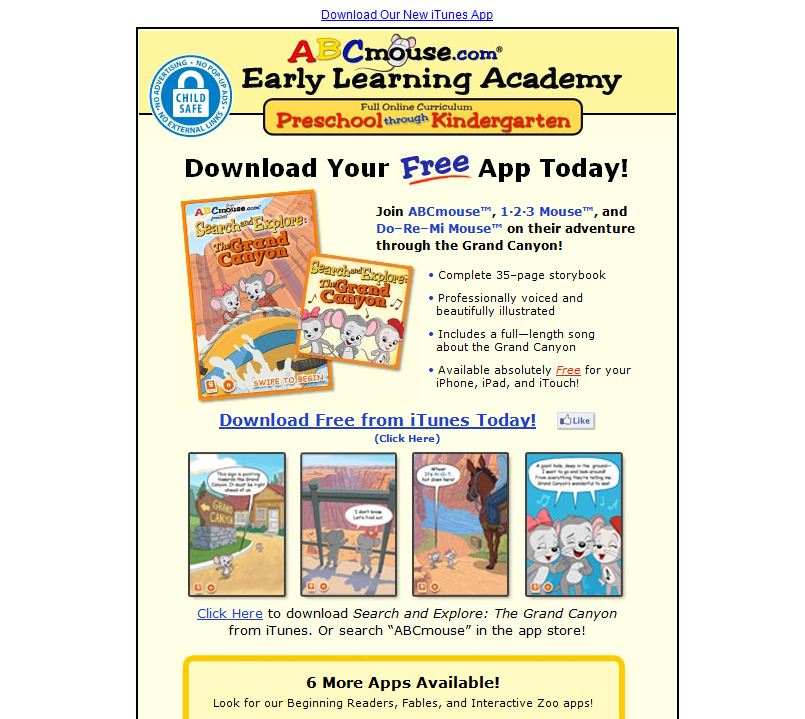
ABC Mouse

ABCmouse.com is a subscription-based website that is currently offered to U.S. and Canadian
public schools. Public school teachers and librarians qualify for free public school classroom accounts.

With that said, quickly go grab this offer and get you students involved in a journey of online learning. Teachers can customize up to FIVE learning groups. There is no advertising or links to other sites, which is rare for a free educational site and it the company does not ask for or require personal student information.

With 2000+ Activities and a Learning Path with 6 levels, your kids will be excited about using this great program. Best of all, kids will learn while having fun!


Also check out there mobile apps! The Grand Canyon App is FREE and the others apps are under a dollar.

Thursday, December 15, 2011

APPitic

APPitic, a site I stumbled upon today, is a directory of apps for education by Apple Distinguished Educators (ADSs) to help with teaching and learning. These apps have been tested in a variety of ways.

Using the tool bar at the top of their home screen, you may choose SPED/Autism, Preschool, Themes, Multiple Intelligences, Bloom's or Tools categories. It's layout is crisp and clean with details of each app. Click This now!


Monday, December 12, 2011

Appy Holidays!

"Appy Holidays" is ending soon so if you haven't picked up any apps for the holidays, Click This to get on over there. ENDS TODAY!


Thursday, December 8, 2011

Smart Apps for Kids!

Ron, over at Smart Apps for Kids, has an awesome website that I've failed to feature here on Click This.  I've mentioned him several times but I think it's time I gave you "the skinny" on his importance. Ron was an average Dad who saw the need to really dig deep into an app to see how educational it really is - after all just because an app states it's educational and just because it's listed under the educational category in the App store - we as educators know that doesn't make it appropriate for teaching and learning.

Ron has devoted his time and energy in seeking out the best apps for his kids and ours, whether that's our own children or the kiddos we embrace in our classrooms. So now that you know a little about Ron, I'd have to say he's not that ordinary Dad I previously mentioned. He's a "SMART" Dad that the educational world should be thanking. So thanks Ron for your "quest to find the best educational apps for the iPad and iPhone"! Click on over to his Smart Apps for Kids site and check out his hard work for yourself. Once you do, you'll be hooked just like me.

Here is a little info about his site:

Smart Apps for Kids (taken from his about page - notice that huge increase on his Facebook page - Ron organized and operated a "monstrous" Open House App Friday - and I mean monstrous in a good way...totally awesome)

* We've experienced an 870 percent increase in visits and 1328 percent increase in page views since June, 2011.
* Visits from Facebook have increased from 667 in July to 11,818 in November (1746 percent).
* The site is ranked in top 10 (first page of search results) for more than 50 education/kids app Google searches, including numerous No. 1 rankings.
* We have more than 10,400 followers via Facebook, Twitter, RSS and email subscription.
* Smart Apps For Kids has received more than 440 thumbs up at StumbleUpon with a 94.1 thumbs up/thumbs down ratio.


Friday, December 2, 2011

Tapikeo...Let Your Voice Be Heard!

According to Tapikeo, there app allows you and your children to easily and quickly create your own audio-enabled picturebooks, storyboards, visual schedules, memory aids, audio flashcards, and more using a versatile grid style layout. I heard about it from Smart Apps for Kids on FB. The first line of his review - Bottom Line: A must-buy for whatever you're trying to teach. So I had to check it out because they're running a price break on it through the weekend. Within in minutes of browsing the site, I pulled out my iPad and purchased it for just 99 cents in the App Store (it's regularly 2.99 if you want the iPad HD version or you can get the iPhone version for FREE). The company's video tutorials will definitely win you over. So many awesome features and ideas for parents and teachers.


Tuesday, November 22, 2011

Always Have Your Contacts

Have your ever lost all your contacts? Were you mad with yourself because you didn't have a backup system in place? Try importing your contacts to Gmail, a service of Google (if you don't have an account, it's free) and you'll never have to worry again.

You don't have to get rid of your other accounts, this is just to have a central location for all your contacts. Once you're finished exporting from your other locations, you can import them to your mobile devices. Cool, eh?

Importing from Yahoo!
  1. On your Yahoo! Mail page, click Options in the upper-right corner and select More Options.
  2. From the list on the left side, click Contacts.
  3. Click the "Tools" button just below the Contacts tab.
  4. Click "Export".
  5. You options are:
    • Microsoft Outlook:
    • Netscape/Thunderbird:
    • Yahoo! CSV:
    • vCard Single File: (recommended for Palm Desktop users)
    • vCard, Zip of .VCF files
Importing from Outlook
  1. Click the File tab.
  2. Click Options.
  3. Click Advanced.
Advanced command in the Outlook Options dialog box
  1. Under Export, click Export.
Export command in the Backstage view
  1. In the Import and Export Wizard, click Export to a file, and then click Next.
  2. Under Create a file of type, click the type of export that you want, and then click Next.
The most common is Comma Separated Values (Windows), also known as a CSV file.
  1. Under Select folder to export from, select the contact folder that you want to export, and then click Next.
 Note    Unless you chose to export to an Outlook Data File (.pst), you can only export one folder at a time.
  1. Under Save exported file as, click Browse, select a destination folder, and in the File name box, type a name for the file.
  2. Click OK.
  3. In the Export to a File dialog box, click Next.
  4. Click Finish.
Import from Hotmail
  • Select Contacts from the top Hotmail navigation bar.
  • Click Print View.
  • Highlight the contents of the table (including the headings Name, E-Mail and Phone as well as all your contacts) with the mouse.
  • Press Ctrl-C (Windows), Command-C (Mac) or Alt-C (Linux) to copy the table.
  • Create a new spreadsheet document in Excel or OpenOffice.org.
  • Select Edit | Paste from the menu.
  • Look for rows that have the E-Mail column empty. You can sort the data by the column to find and manipulate them en bloc.
  • If you have any email addresses in the first, the Name column, cut and paste them to the second, the E-Mail column.
  • In the E-Mail column, remove all whitespace characters.
    • In Excel, right-click in an email field and select Column | Trim from the menu.
    • In OpenOffice.org, you can search for "[:space:]+$" (excluding the quotation marks), making sure Regular expressions is checked under More Options, and replace it with nothing.
  • Select File | Save As... from the menu.
  • Make sure you use CSV (Comma delimited)(*.csv) or Text CSV (.csv) or a similar format involving "CSV" for saving the file.
Now you can import your contacts and their email addresses from the saved .csv file to your desired email program or service.If you want to sync your phone with your Gmail account, click this.

Friday, November 4, 2011

Smore

Design beautiful online flyers and publish instantly! Smore does the job and so much more! The two creators just started private beta so if you wanna get on the bandwagon, go to Smore and sign up.


  • Smore pages work flawlessly on your smartphone and tablet.
  • Choose from a list of themes and preview them in seconds with your content. No installations ever.
  • Not just text and images, but videos, tweets, products and reviews too.
  • Arrange your content with ease.

    Check out there video and website to learn more about Smore!


Monday, October 17, 2011

Educational Freebies from Lakeshore Learning

What a gem! One, two...no three FREE apps from Lakeshore Learning. These apps aren't average, they're not great...they're fantastic. Better hurry and get them while it's free which is until December. Although if you miss the free version, it will be well worth it to get the paid version.
These awesome apps include:
1. Phonics Tic Tac Toe LeApps, iPad, iPhone, iPodarning Interactive for ages 6-8
2. Letter of the Day Interactive for ages 4-6
3. Beginning Sounds Interactive for ages 4-7
To find out more about these apps and and view a demo, click this:
http://www.lakeshorelearning.com/mobile_apps/mobileApps.jsp
Or visit the app store and get them now!

Thursday, September 1, 2011

Fring Your iPod/iPad

Turn your iPod or iPad into a phone. Have your friends download the fring app and you can talk as much as you want to any friend in the world. Avoid restrictive, expensive calling plans and move to fring’s unlimited free calling. See and hear your friends, wherever they are. Share the fun of a live, free video call anytime, anywhere (3G,4G, WiFi…).


And yes I tried this with my son and his iPod last night…Fring can do that and more. Download this free app and you’ll be blown away with all it’s capabilities. If you want to call a friend who does not have the fring app, it only cost 1¢ per minute. Dirt cheap! Fring has Droid and Nokia apps too. Enjoy.