Showing posts with label iPod. Show all posts

Thursday, April 5, 2012

Another Great Giveaway...

from Ron over at Smart Apps for Kids. Through this giveaway, you could be one of ten winners to receive the:

SatDef  (protect the Earth using multiplication!) App

Hurry up and Click This so you can read all about the giveaway and enter to win...and tell him I sent ya!


Thursday, March 22, 2012

Take a Walk Back in Time...

with an app. Video Time Machine isn't free but I think it's well worth the 3 bucks. Most reviews were 4 to 5 stars. A couple of people gave it one because it's just YouTube videos but what makes it unique is it's all organized, no searching on your part. It has been done for you.

I learned about it via SmartAppsforKids. If you can shell out a couple of bucks, I promise you won't be disappointed. Read a review on Video Time Machine by Smart Apps for Kids here and while you're at it, go and enter a chance to win an iPad from Smart Apps for Kids. It's a site created by a Dad who is on a quest to find the best educational apps for the iPad and iPhone. You can enter the giveaway in many ways and you still have 10 days to do so. Enter daily for more chances to win.

Best of Luck on the giveaway and enjoy his cool site!


Friday, March 9, 2012

Playful Minds App

Heard of Playful Minds? It's a cool little app that focuses on teaching Math to kiddos ages 5-8 or in grades K-2. It has a Multiplayer option to play with other kiddos online or in the neighborhood. Options include easy, normal or hard and you even have an option of switching grade levels during the game. Before you begin the adventure, you will have to set up the profiles for your kids. You have up to 5 accounts that can be created so if you plan to use this in the classroom, you'll need at least 5 iPads which I know some schools/districts have in place.

Parents will have to subscribe and verify their subscription. With that subscription, you can manage your profile and follow your kid's result (which must be unlocked by completing levels or purchasing coins which range in price of 2 bucks all ht way to 100 bucks). I learned about this app via Smart Apps for Kids blog/facebook page which also states that after a year of using the app, the creators want you to pay for a subscription which costs 7 bucks a year. If you're not interested in the yearly paid subscription, you can always enjoy it for a year and then press that delete button afterwards. I think it will be well worth your kiddos using it for at least the free year! :-)

Please support my friend Ron over at Smart Apps for Kids by using this link to access the app. And while you're at it, check out his spot on the web and participate in some of the giveaways to win some paid apps.


Wednesday, February 8, 2012

App Learning Tasks


BLOOMS INFUSED!

Here's a great app resource that's categorized in a spreadsheet file into:
  • Category
  • App
  • VerbTask
  • Bloom's Revised
  • Bloom's Traditional
  • Cost
 This great resource is online, Google docs file created by Brad Wilson over at 21 Innovate. Check out a quick screenshot below and then head on over to the actual file here.

Wednesday, January 25, 2012

iTunes U...all new!


If you’re an educator at a university, college, or K-12 school, now you have an easy way to design and distribute complete courses featuring audio, video, books, and other content. And students and lifelong learners can experience your courses for free through a powerful new app for iPad, iPhone, and iPod touch.

This is what apple is announcing via their the all new iTunes U page! With the recent launch of iBooks Author, this is a HUGE leap forward in the education world. I envision paperless classrooms and interactive learning at it's best. Although iTunes U has been around for a little bit, now the K-12 community can take advantage of this wonderful resource.

iTunes U is a free resource through iTunes and is available as a free download on iDevices through the App Store. The new "U" expands the experience for the classroom. All materials including audio, video, assignments, instructor posts, PDFs, presentations and more, can be uploaded to iTunes U and made readily available for students use by instructors.

Even if you a not an enrolled student of that college/course, you can still view courses and materials. Yes, you can! Click on over to the iTunes or go download the app on your iDevice and get to learning all your heart desires.


Apps for Teachers

If you haven't noticed, there's an Apps for Teachers section in the App Store. The nice little spot has it categorized for educators into:

  • Classroom Task
  • Curricula Support
  • Instructional Tools
  • Personal Organization
  • Reference
So if you're looking for apps to support your work day, then check out this little jewel today. Don't have iTunes, click this and get it free now.


Tuesday, January 3, 2012

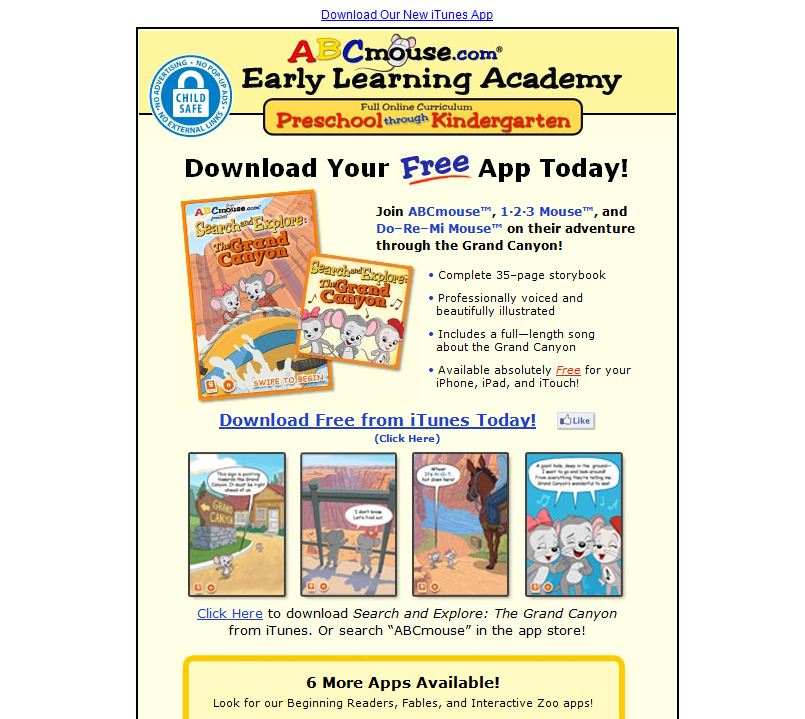
ABC Mouse

ABCmouse.com is a subscription-based website that is currently offered to U.S. and Canadian
public schools. Public school teachers and librarians qualify for free public school classroom accounts.

With that said, quickly go grab this offer and get you students involved in a journey of online learning. Teachers can customize up to FIVE learning groups. There is no advertising or links to other sites, which is rare for a free educational site and it the company does not ask for or require personal student information.

With 2000+ Activities and a Learning Path with 6 levels, your kids will be excited about using this great program. Best of all, kids will learn while having fun!


Also check out there mobile apps! The Grand Canyon App is FREE and the others apps are under a dollar.

Thursday, December 8, 2011

Smart Apps for Kids!

Ron, over at Smart Apps for Kids, has an awesome website that I've failed to feature here on Click This.  I've mentioned him several times but I think it's time I gave you "the skinny" on his importance. Ron was an average Dad who saw the need to really dig deep into an app to see how educational it really is - after all just because an app states it's educational and just because it's listed under the educational category in the App store - we as educators know that doesn't make it appropriate for teaching and learning.

Ron has devoted his time and energy in seeking out the best apps for his kids and ours, whether that's our own children or the kiddos we embrace in our classrooms. So now that you know a little about Ron, I'd have to say he's not that ordinary Dad I previously mentioned. He's a "SMART" Dad that the educational world should be thanking. So thanks Ron for your "quest to find the best educational apps for the iPad and iPhone"! Click on over to his Smart Apps for Kids site and check out his hard work for yourself. Once you do, you'll be hooked just like me.

Here is a little info about his site:

Smart Apps for Kids (taken from his about page - notice that huge increase on his Facebook page - Ron organized and operated a "monstrous" Open House App Friday - and I mean monstrous in a good way...totally awesome)

* We've experienced an 870 percent increase in visits and 1328 percent increase in page views since June, 2011.
* Visits from Facebook have increased from 667 in July to 11,818 in November (1746 percent).
* The site is ranked in top 10 (first page of search results) for more than 50 education/kids app Google searches, including numerous No. 1 rankings.
* We have more than 10,400 followers via Facebook, Twitter, RSS and email subscription.
* Smart Apps For Kids has received more than 440 thumbs up at StumbleUpon with a 94.1 thumbs up/thumbs down ratio.


Friday, December 2, 2011

Tapikeo...Let Your Voice Be Heard!

According to Tapikeo, there app allows you and your children to easily and quickly create your own audio-enabled picturebooks, storyboards, visual schedules, memory aids, audio flashcards, and more using a versatile grid style layout. I heard about it from Smart Apps for Kids on FB. The first line of his review - Bottom Line: A must-buy for whatever you're trying to teach. So I had to check it out because they're running a price break on it through the weekend. Within in minutes of browsing the site, I pulled out my iPad and purchased it for just 99 cents in the App Store (it's regularly 2.99 if you want the iPad HD version or you can get the iPhone version for FREE). The company's video tutorials will definitely win you over. So many awesome features and ideas for parents and teachers.


Friday, November 4, 2011

Smore

Design beautiful online flyers and publish instantly! Smore does the job and so much more! The two creators just started private beta so if you wanna get on the bandwagon, go to Smore and sign up.


  • Smore pages work flawlessly on your smartphone and tablet.
  • Choose from a list of themes and preview them in seconds with your content. No installations ever.
  • Not just text and images, but videos, tweets, products and reviews too.
  • Arrange your content with ease.

    Check out there video and website to learn more about Smore!


Monday, October 17, 2011

Educational Freebies from Lakeshore Learning

What a gem! One, two...no three FREE apps from Lakeshore Learning. These apps aren't average, they're not great...they're fantastic. Better hurry and get them while it's free which is until December. Although if you miss the free version, it will be well worth it to get the paid version.
These awesome apps include:
1. Phonics Tic Tac Toe LeApps, iPad, iPhone, iPodarning Interactive for ages 6-8
2. Letter of the Day Interactive for ages 4-6
3. Beginning Sounds Interactive for ages 4-7
To find out more about these apps and and view a demo, click this:
http://www.lakeshorelearning.com/mobile_apps/mobileApps.jsp
Or visit the app store and get them now!

Wednesday, September 28, 2011

Poll Everywhere

These days, kids are tech-savy and chances are if you’re a teacher, your students know more than you in the technology area. Matter of fact, probably the majority of your students, if not all, have mobile devices whether it’s a cell phone or an iPod or iPad. Jump right into their world with this awesome Instant Audience Feedback tool. Students with cell phones are all set to go and those with iPods or iPads can participate with the free app TextFree. Students vote by sending text messages and the poll will update in real time. The next time you need a quick and simple response from your class, try Poll Everywhere and watch your student’s interaction soar. Free version available and more advanced features are available for a small fee. Enjoy!


Monday, September 26, 2011

Appolicious

What is Appolicious?


Appolicious is the place to discover and share the latest and best iPhone, iPod Touch, iPad, and Android apps through social recommendations. Find, share, and review apps in categories such as Games, Education, and Travel, or browse user-created lists of apps for anything.


Thursday, September 1, 2011

Fring Your iPod/iPad

Turn your iPod or iPad into a phone. Have your friends download the fring app and you can talk as much as you want to any friend in the world. Avoid restrictive, expensive calling plans and move to fring’s unlimited free calling. See and hear your friends, wherever they are. Share the fun of a live, free video call anytime, anywhere (3G,4G, WiFi…).


And yes I tried this with my son and his iPod last night…Fring can do that and more. Download this free app and you’ll be blown away with all it’s capabilities. If you want to call a friend who does not have the fring app, it only cost 1¢ per minute. Dirt cheap! Fring has Droid and Nokia apps too. Enjoy.