Monday, September 17, 2012

PDFs...Meet Good Notes

For those educators who have embraced Pinterest like I have, if you haven't heard of Good Notes, then hold on to your seat because this little jewel of an app is pretty awesome. As I browsed the education category of Pinterest this weekend, I ran across a pin from a blog of a mother of a four year little girl with special needs. She blogged about how to use Good Notes with PDF files on your iPad. Her Blog entitled "Transferring Worksheets to Your iPad" gives you step by step directions and if you'd like to view the original post, click this. In a nutshell, if you have an iPad, pdf files, a file storage/file sharing app such as Dropbox or Box and the GoodNotes App, you'll need to do following:

1. Gather your pdf files and have them readily available for step number 3

2. Have Dropbox or Box downloaded to your computer

3. Copy and paste your pdf files in Dropbox

4. Open up GoodNotes on your iPad (it's a $3.99 app in the app store but well worth it - try out the FREE veriosion to make sure it's what you want/need)

5. Click the + sign at the top of the screen

6. Open up Dropbox and navigate to PDF file and Open it

7. Enjoy the pdf file by using your finger or a stylus pen to "mark it up"

8. Now say, "that is awesome" :). GoodNotes brings the Love of PDF files to your iPad...sweet!


Tuesday, September 11, 2012

ClassDojo...Yep, They Have An App!

ClassDojo launched their new mobile app today so now you can use it on you iPod, iPhone or iPad.

What's new with the app?
  • The fastest, smoothest ClassDojo experience
  • Award multiple students
  • Randomly select a student with a shake of your device
Cool, eh? Click This to get the app now. Android version coming soon.


Never Forget 9/11

Today is Tuesday, September 11, 2012. Eleven years ago, America experienced one of the most horrific attacks remembered.

The month was September. The date was the eleventh. The year was 2001. The day was a Tuesday. 

Snippet from Wikipedia: On that Tuesday morning, 19 terrorists from the Islamist militant group al-Qaeda hijacked four passenger jets. The hijackers intentionally piloted two of those planes, American Airlines Flight 11 and United Airlines Flight 175, into the North and South towers of the World Trade Center complex in New York City; both towers collapsed within two hours. The hijackers also intentionally crashed American Airlines Flight 77 into the Pentagon in Arlington, Virginia, and intended to pilot the fourth hijacked jet, United Airlines Flight 93, into the United States Capitol Building[2] in Washington, D.C.; however, the plane crashed into a field near Shanksville, Pennsylvania after its passengers attempted to take control of the jet from the hijackers. Nearly 3,000 people died in the attacks, including the 246 civilians and 19 hijackers aboard the four planes.

The official 9/11 Memorial app has been created thanks to the National September 11 Memorial & Museum. The app is a guide to understanding 9/11 and is based on those who witnessed the events. Due to the nature of the material from in this app, viewer discretion  is strongly advised.

Get the FREE app now, click this.


Monday, September 10, 2012

Pixlr!

Can you say that name fast? It's the most popular online editor in the world according to their website. You get three ways to edit: Advanced, Efficient and Playful. And yep, there's an app for that! And even better than that, you can get the app for Apple and Android. Sweet!

Pixlr not only has online editing tools but a screen grabber as well. In Firefox, you can grab the screen as a webpage and it will load in Pixlr for you to edit and in Chrome, you can grab web parts or the whole page and edit in Pixlr. Click This to go check them out now.


Free Logo Maker

Logos take time and creativity and if you've got both of those, then you're in luck with a free service from Graphic Springs. All you do is choose a logo element, font and color and boom...new logo. Now that is awesome if you are in the market for a fresh school look and you're on a tight budget which most schools are the days. Check it out now and get started o n creating something fabulous!


Elementary School Rules

This morning on my way to the office, I heard a unique song from a little elementary school girl entitled "Elementary School Rules". Her mother, a former educator with Sheldon Independent School District located in Houston, Texas, wrote the song for her daughter, Amaya Hernandez, to sing. Amaya spoke on Houston 97 The Box this morning and stated she has dreams of one day becoming a singer.

Check out this catchy song which details the daily schedule of an elementary kid:

Friday, September 7, 2012

Flocabulary

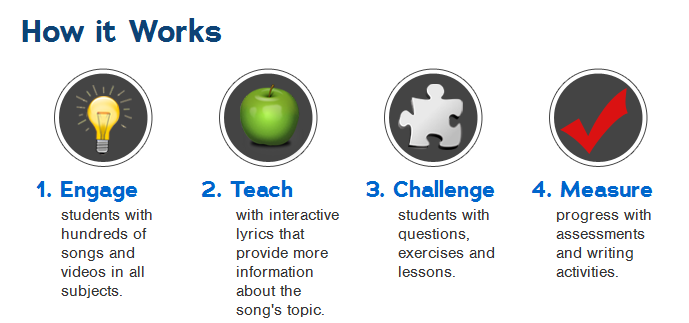
According to Flocabulary website, it is an online learning platform that delivers educational hip-hop songs and videos to students in grades K-12. Founded in 2004, Flocabulary is now used in over 15,000 schools and reaches a weekly audience of 5 million students. Our mission is to motivate kids and help them reach their full academic potential, not only by raising test scores but by fostering a love of learning in every child

I learned about Flocabulary a while back but my assistant superintendent brought it back to my attention today. Parents and teachers can get a free 14 trial to try it out first to see what all the hype is about.


Tuesday, August 28, 2012

Spelling City...

now playing on an iPad near you! Yep, you read correctly. Now Spelling City has "an app" so pull out your iPad or iPhone or iPod and enjoy what I've been enjoying for years, a super fun tool that's all educational. Two words that ring music to my ears.  For those of you who have and use Spelling City, you will need to launch the app and click the "Find More Lists" button to search your list by entering your username. For Parents and Students, use the same "Find More Lists" button and search your Teachers's Name or Your Schools Zip-code. Click This to download the app now. Enjoy!


Remind Them!

We know that today's kids more than likely have digital devices that keep them "in the know". With so many tasks to do, sometimes they may need to be reminded of  "things they need to do". So two tech savvy geeks came up with a FREE tool for educators to communicate with their students AND their parents. With Remind101, teachers can...


  • Message the entire class in a fast, safe, and easy manner
  • Maintain privacy by never sharing phone numbers with students/parents
  • Send unlimited texts
and what's even better, Remind101 is now apart of Schoology, an ultimate way to manage lessons, engage students, share content, and connect with other educators.


Wednesday, August 22, 2012

About.Me

About a year ago, I learned about a neat little site called about.me. If you want to build a simple but effective page that points your visitors to your content around the web, then about (dot) me is one site you've got to check out. Sign up is totally free and now there's an app for that!

In addition to loving this neat little site, I was completely surprised when I received a notification email that my about (dot) me was added to the sites Inspirational Section on their feature page. Woohoo, I'm excited.

Stop what you're doing, go to about.me and create your beautiful one-stop content page.

Thursday, August 16, 2012

It's That Time


Welcome Back, Welcome Back, welcome back...to a new school year. It's been a relaxing summer and although I haven't updated the blog, I still kept in touch with the educational world through my educational twitter account (@arikajITF). I hope that you have had a great break and are ready to step back in and enjoy all the great resources I find on the web.

Thursday, May 17, 2012

19Pencils...Oh Yea!

 With 19Pencils, teachers can search from 1,000s of Topics, save favorite web resources, easily add their own web site links, create a unique class page, create custom quizzes for their class and track student progress and access. And if you already have your own class blog, you can easily place a widget onto your existing website or class page to point your students, parents and colleagues to your 19Pencils link page.